
Today was new toys day at work and my boss gave me a Massive HP Android tablet to play with.
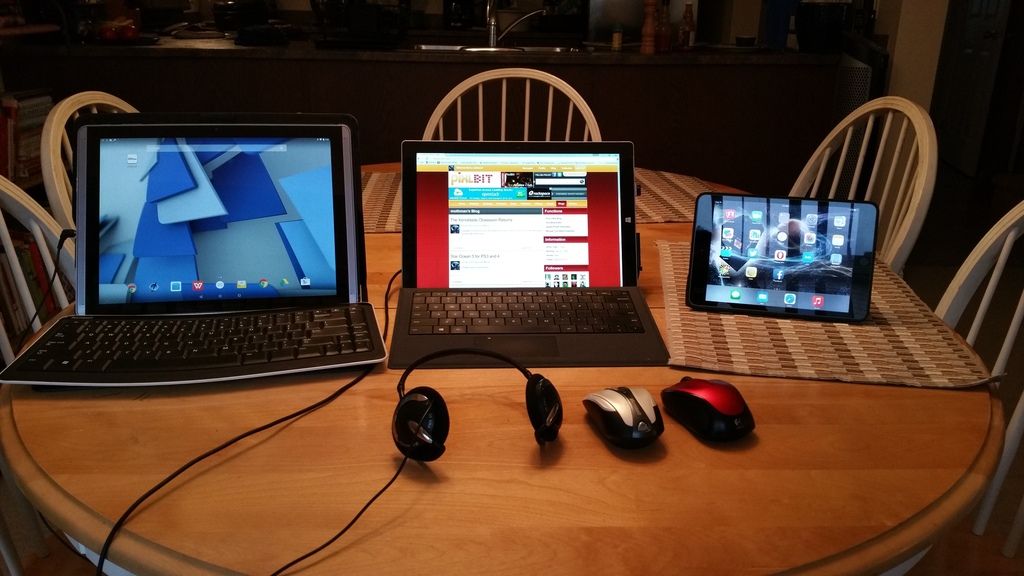
It's only supposed to be slightly bigger than my Surface Pro 3 but it looks much bigger. I think the main reason for this is that the screen itself is 4:3 so basically it's like an old tube TV and pretty much square.
I'm not really all that impressed at present. it's only connector is a micro USB and that is needed for charging the tablet. There's no SD slot to expand the memory so you're basically stuck with 32 GB. Turns out what I thought was a SIM card slot is in fact a MicroSD slot in disguise.
Here's a picture. The HP tablet is on the left, my Surface Pro 3 with 12 inch screen is in the middle and for size comparison the 7.9 inch Ipad Mini 3 is on the right. The silver mouse is a bluetooth mouse which along with my MS bluetooth keyboard (seen in front of the monolith) turn the tablet into a usable Android PC.
I installed and tested Chrono Trigger on the Android. It seems to work fine and I can move Crono around using the mouse.
In other news I've made it to the 8th floor of the Clock Tower in PQ and I'm hoping to be done with the game soon.
I want to get back to Xenoblade soon.
12 inch phone? Sign me up! Jeez who signs off on these designs??
id like to get a shield android tablet once i get a pc that can stream to it. Id rather get that combo than a ps4 etc. but i dunno. My pc is still having trouble and i have just learned to live with it like a limp. But i am shopping for an upgrade daily, just not ready to take the leap.
Yep, I'm not sure who designed this thing, For 600 bucks I'd expect at least a full sized USB port and a mini HDMI for projecting onto a monitor or big screen,
Turns out we didn't get the one with the SIM card slot. It looks like one but it's actually a microSD slot.
That is a big tablet! I'm surprised that HP didn't include a mini SD slot but I guess they are banking on folks using cloud storage.
Actually I've discovered that what I thought was a SIM card slot is actually a MicroSD tray so it can be expanded using a 32 GB card but since Lollipop won't let you write directly to it you have to use a PC to put content onto the card and then plug it in.
There has to be some apps that is a work around so you can write to the MicroSD card. Its a shame Lollipop won't let you do it natively.